Your numbers, where you already look.
Wireroom is a live wallpaper for your Mac. Describe the board you want: your analytics, errors, uptime, markets, the weather. It builds itself and keeps updating behind your windows.
Download for Mac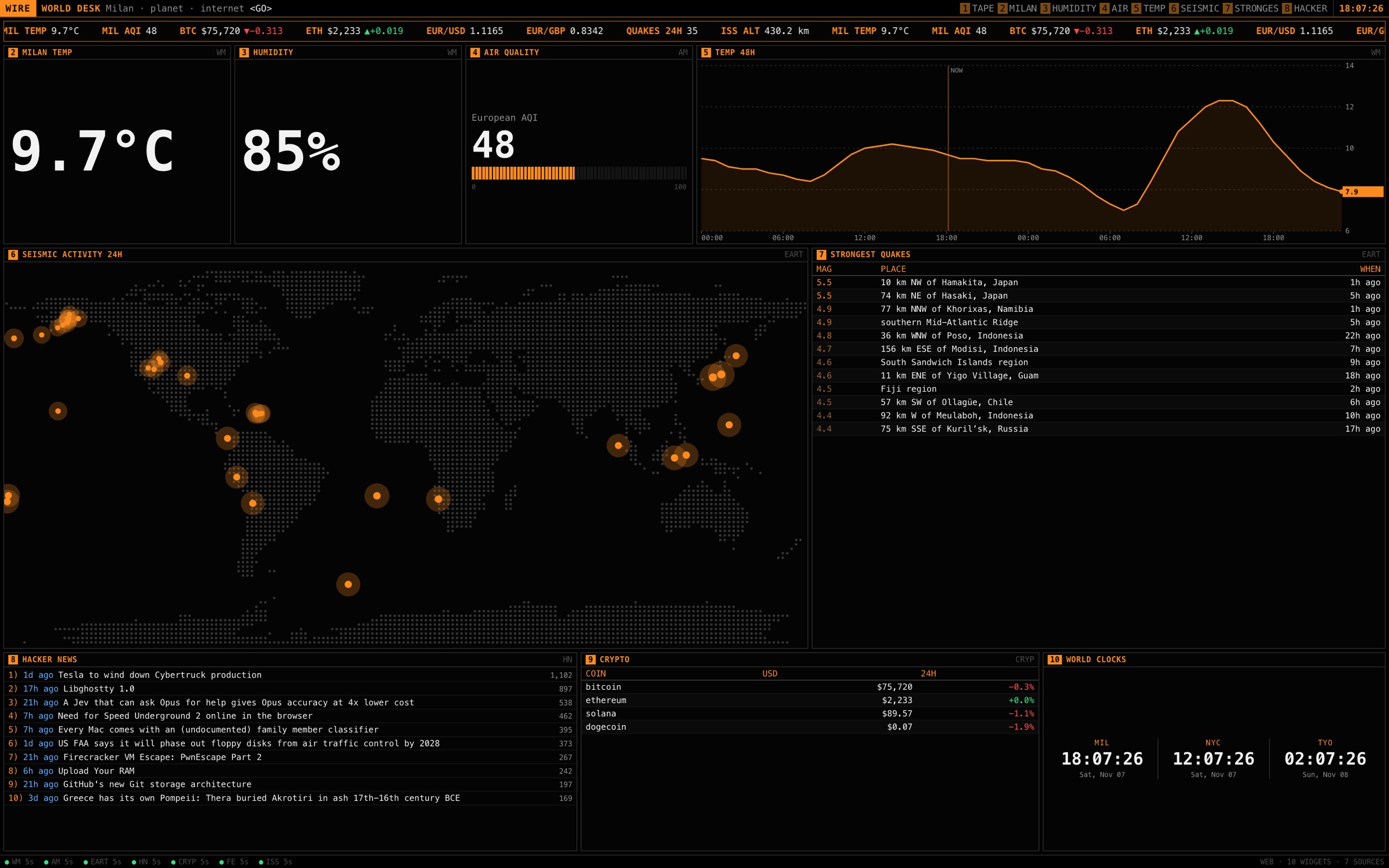
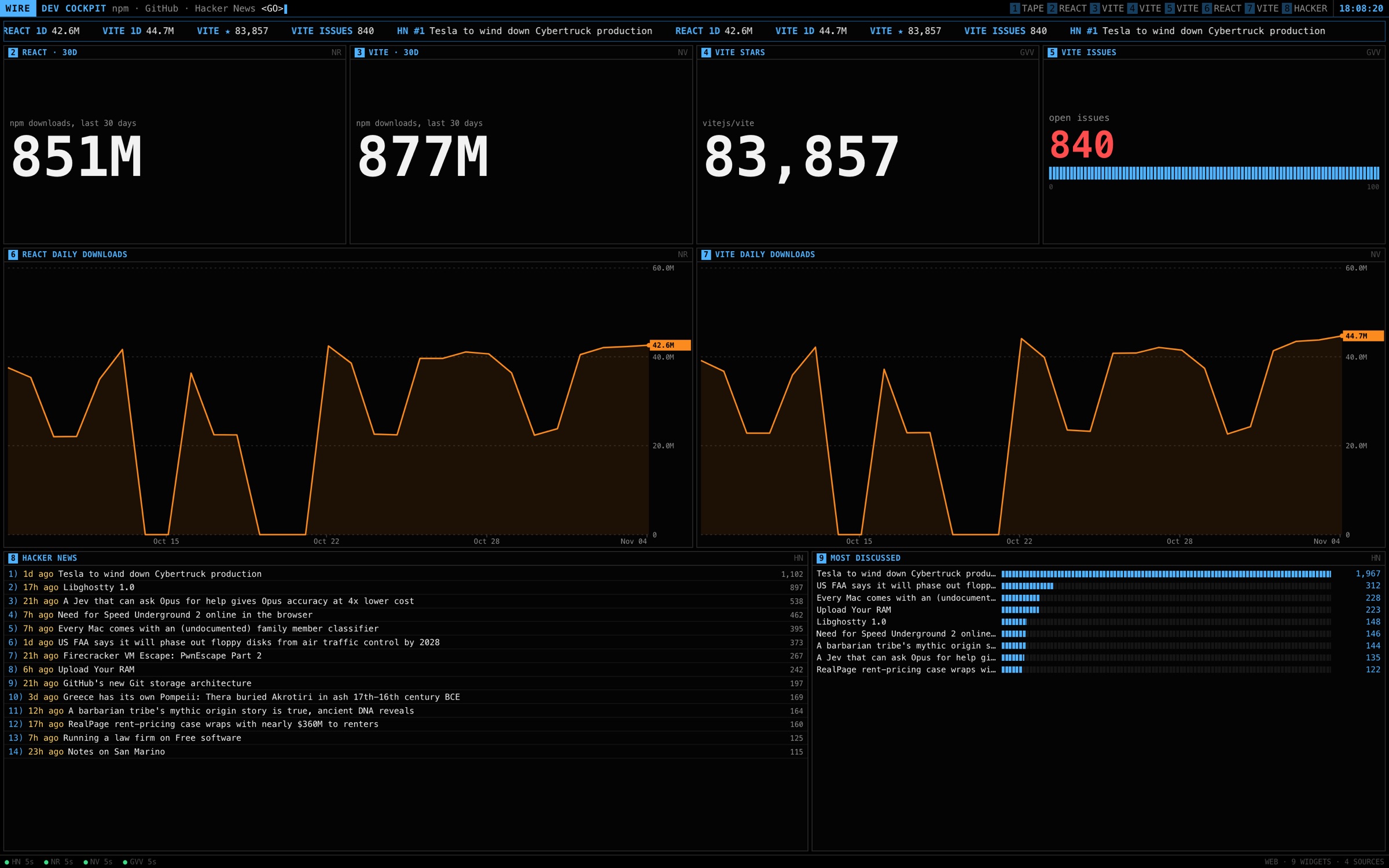
A tab for analytics. A tab for errors. A tab for the status page. Three tabs, for three numbers.
You pass by your desktop
a hundred times a day.
Now it tells you something
every time.
Describe it.
It builds itself.
Write what you want to watch. An agent picks the sources, reads real samples of your data and lays out the board. The model only makes choices; a fixed renderer draws. Nothing it writes runs on your screen.
It works with a small model on your own Mac: LM Studio, Ollama and llama.cpp are found on their own. No model at all? A built-in designer still builds the board.
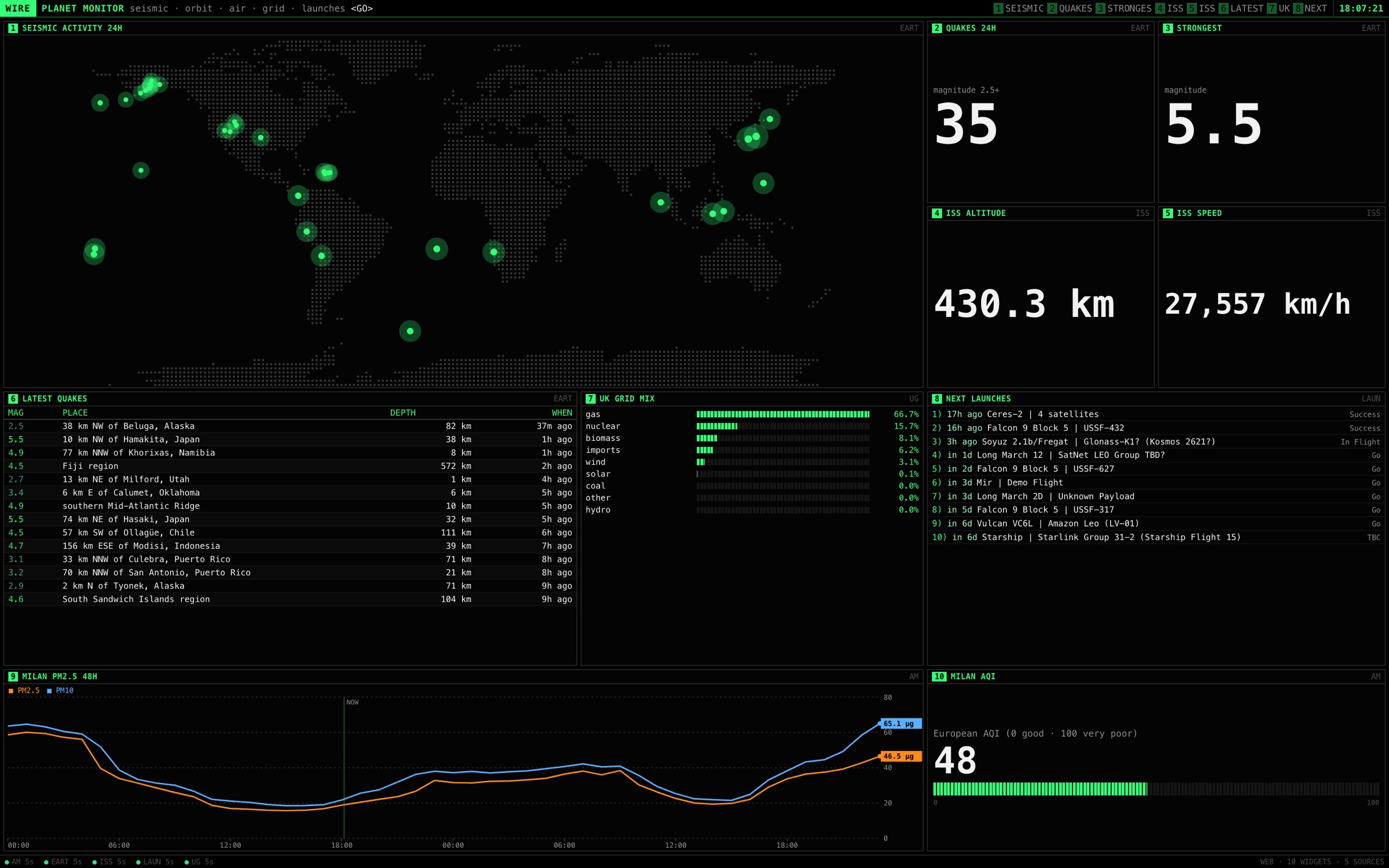
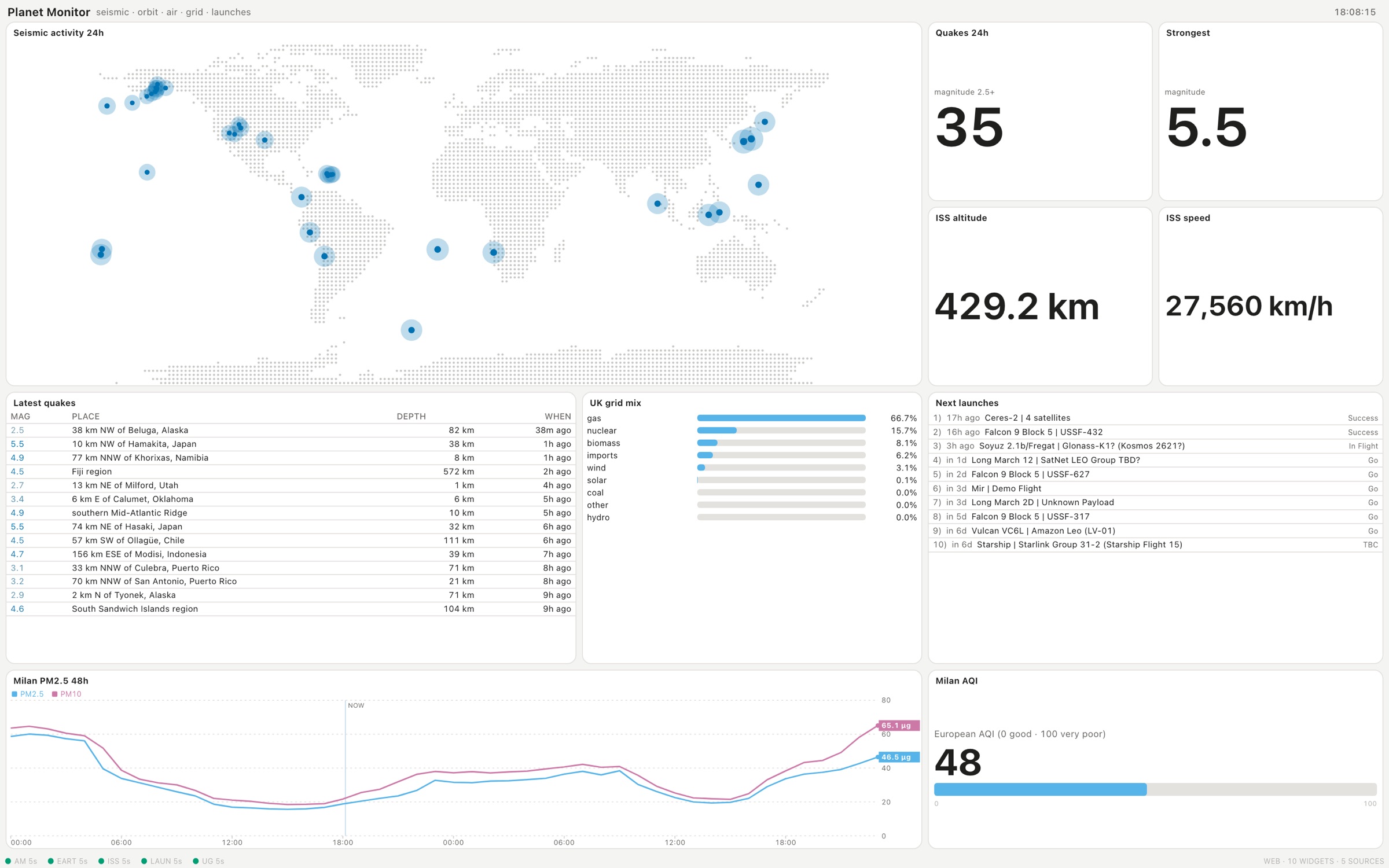
Terminal, or modern.
Dense and monospaced, like a trading desk. Or clean cards that follow your Mac's light and dark mode. Same board, one click.
Talks to what
you already use.
For your product, Wireroom reads the real event names, metrics and monitors first, then writes the queries and runs each one once before it goes on the board.
Your keys stay in your Mac's Keychain, each one tied to a single host.
Made to stay out of the way.
Under your icons. A real desktop layer, behind every window, on every desktop Space.
Always current. Each source refreshes on its own schedule, and the board keeps going after sleep.
Keys stay local. Secrets live in the Keychain, and each one is only ever sent to its own host.
A key away. ⌃⌥⌘ ← → flips between boards from anywhere.
Click through when you want. Interactive mode lets you open a story right from the desktop.
Every screen. Your board on every display you have. PRO
Take it anywhere. Export a board as one self-refreshing HTML file. PRO
Any page, too. Put any website or HTML file on the desktop, reloaded on a timer.
Start free.
Go Pro when it sticks.
Wireroom
Everything you need for one great board.
- One board on your main display
- All built-in sources: weather, markets, GitHub, npm, Stripe, feeds and more
- Any JSON API, RSS feed or CSV
- Your own model, or the built-in designer
- Terminal and modern styles
Wireroom Pro
For people who run things.
- Unlimited boards, switchable with a key
- PostHog, Plausible, Sentry, Grafana, Datadog, Uptime Kuma and Home Assistant, explored for you
- Hosted model included: 50 new boards a month, no setup
- Every display
- Export boards as standalone HTML
Prices include VAT where it applies.
Does it slow my Mac down?
The board is one web view at the desktop level. It only fetches when a source is due, and one request serves every screen.
Where does my data go?
Boards fetch straight from your Mac, and your keys never leave the Keychain except to their own host. To design a board, the model sees your request and small samples of the data; with your own model that all stays on your machine. With Pro's hosted model, those samples go to the Wireroom server for that one request.
Which model do I need?
None. Wireroom finds a local model if you run one (LM Studio, Ollama, llama.cpp, vLLM) or lets you point it at any OpenAI-compatible endpoint. Without a model, a built-in designer builds boards from the sources you pick. Pro adds a hosted model.
Will it get in the way of my icons and windows?
No. It sits under your desktop icons, like a wallpaper. Turn on Interactive when you want to click a link on the board, and Avoid Menu Bar & Dock to keep it clear of both.
Which Macs does it run on?
Macs with Apple silicon, on macOS 13 Ventura or later.